
Android manifest
App Links intent-filter, INTERNET, Application configure.
LIVE SPECIMEN
Universal & Deferred Link SimulatorURL
https://taqlyn.com/shop/checkout?cartId=cart_9841&promo=WELCOME20&aff=partner_8#Intent filter
Use your Taqlyn host (and later every custom domain). autoVerify must be true.
<manifest>
  <uses-permission android:name="android.permission.INTERNET" />
  <application android:name=".App">
    <activity android:name=".MainActivity" android:exported="true">
      <intent-filter android:autoVerify="true">
        <action android:name="android.intent.action.VIEW" />
        <category android:name="android.intent.category.DEFAULT" />
        <category android:name="android.intent.category.BROWSABLE" />
        <data
          android:scheme="https"
          android:host="YOUR_TAQLYN_HOST"
          android:pathPrefix="/" />
      </intent-filter>
    </activity>
  </application>
</manifest>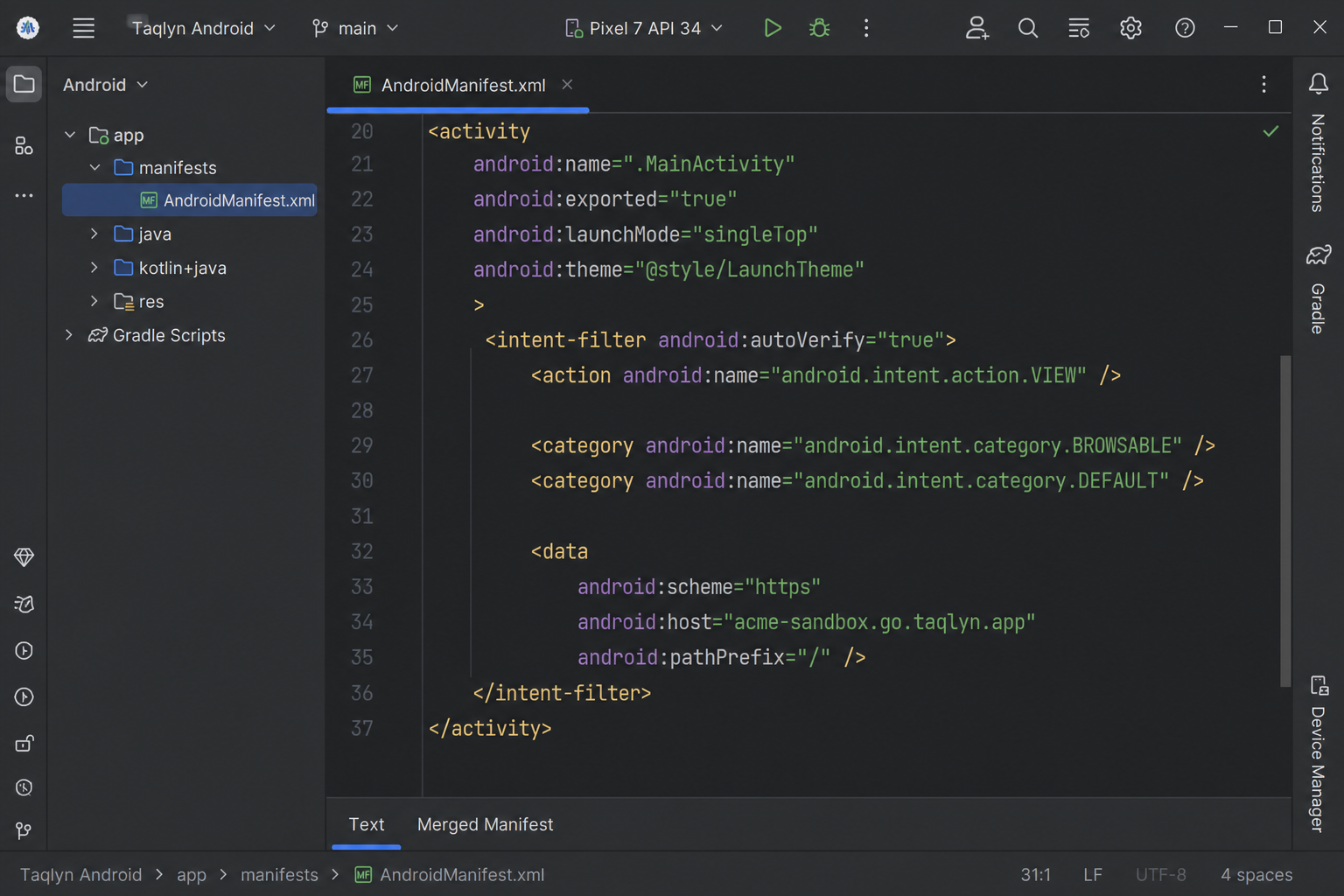
#Application
class App : Application() {
  override fun onCreate() {
    super.onCreate()
    SdkCore.configure(
      clientId = BuildConfig.TAQLYN_CLIENT_ID,
      publicKeyId = BuildConfig.TAQLYN_PUBLIC_KEY_ID,
      options = SdkOptions(),
      context = this,
    )
  }
}
Forward App Link intents from the launch Activity — App Links.
Next: Configure