
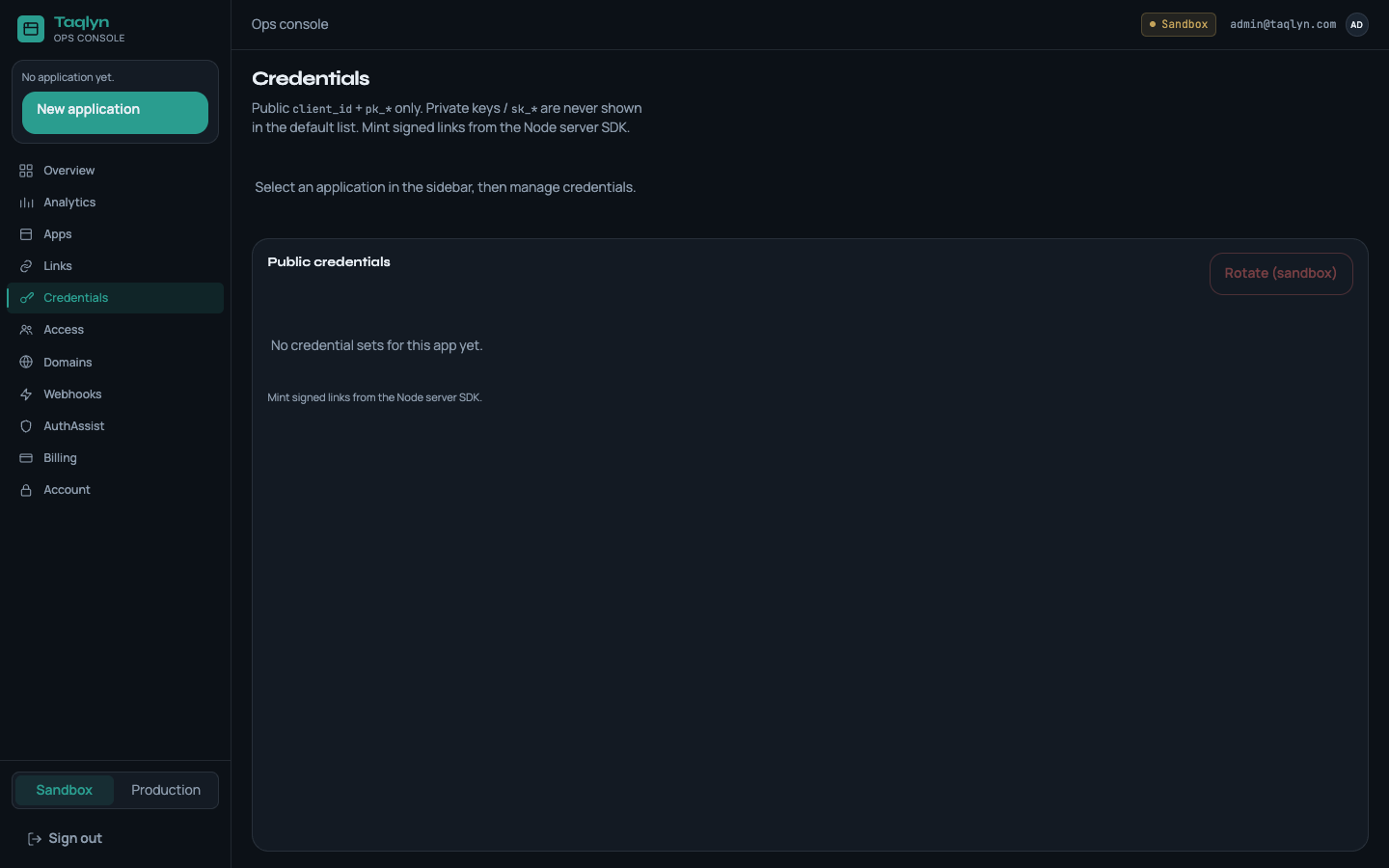
Credentials Console
Manage Ed25519 cryptographic credentials, copy client IDs, and rotate server signing keys.
https://taqlyn.com/shop/checkout?cartId=cart_9841&promo=WELCOME20&aff=partner_8The Credentials page in the Taqlyn Developer Console lets you inspect, copy, and rotate the cryptographic keys used by your mobile client applications and backend servers.
#Overview: Two Credential Classes
Taqlyn uses asymmetric Ed25519 keypairs rather than shared secret tokens. This enforces a strict boundary between public client applications and privileged backend services:
| Credential Class | Used By | Material | Exposure Risk |
|---|---|---|---|
| Client / Mobile SDKs | iOS, Android, React Native, Flutter, Web | client_id, public_key_id (pk_*) | Public — safe to bundle in compiled app binaries and APKs. |
| Server SDKs | Node.js, Python, Go, Java, .NET, PHP, Ruby | client_id, Ed25519 Private Key PEM | Privileged — secret; must remain in server-side secret stores only. |
#1. Environment Isolation (Sandbox vs Production)
Every Taqlyn application has completely isolated Sandbox and Production environments:
- Sandbox (
app_test_*,pk_test_*): Use during local development, emulator testing, automated CI/CD runs, and QA builds. Resolves test deep links without affecting production telemetry. - Production (
app_live_*,pk_live_*): Use in live App Store / Google Play builds and production backend services.
Use the environment switcher at the top of the Credentials page to view keys for the desired environment.
#2. Public Client Credentials (Mobile SDKs)
The Client & Mobile SDKs card displays the public identifiers needed to configure the Taqlyn mobile libraries:
#Application Client ID (client_id)
- Format:
app_test_<hex>(Sandbox) orapp_live_<hex>(Production). - Purpose: Identifies your app across all Taqlyn edge points of presence.
- Copy Button: Click the Copy button to copy the client ID directly to your clipboard.
#Public Key ID (public_key_id)
- Format:
pk_test_<hex>orpk_live_<hex>. - Purpose: Points to the active verifying key used by edge nodes to authorize deferred match requests (
POST /v1/resolve) and user-to-user in-app share links (POST /v1/sdk/short-links). - Security: Public key IDs cannot sign privileged REST API requests. It is 100% safe to embed them in client-side code.
// Android: SdkCore.configure with public keys
SdkCore.configure(
    clientId = "app_test_8f92ab140cd3",
    publicKeyId = "pk_test_a1b2c3d4e5f6",
    context = this
)#3. Server SDKs & Request Signing (Private Keys)
Privileged REST endpoints (such as POST /v1/short-links for campaign generation) require Ed25519 request signing. Official Server SDKs compute signatures automatically using your private key.
#Zero-Knowledge Key Storage Policy
Security Guarantee: Taqlyn stores only your public verifying key. Your private key is generated cryptographically on key creation or rotation, delivered to you in PKCS#8 PEM format, and immediately purged from Taqlyn server memory. Taqlyn engineers and databases cannot recover your private key.
If you lose your private key or suspect it was exposed, you must rotate your credentials to generate a fresh keypair.
#4. Rotating Credentials & Generating New Keys
To rotate keys for an environment:
- Click Rotate Credentials & Issue Keypair ({env}) on the Server SDKs card.
- Review the confirmation dialog:
- Rotating invalidates the previous Ed25519 private key.
- A new
public_key_id(pk_*) will be assigned to the new keypair.
- Click Yes, Rotate & Issue Keypair.
- The One-Time Private Key Generated dialog will appear:
- Copy PEM: Copies the PKCS#8 PEM (
-----BEGIN PRIVATE KEY----- ... -----END PRIVATE KEY-----). - Download .pem: Saves a
.pemfile directly to your disk (taqlyn-<appId>-<env>-private-key.pem). - Secret Handle (
sk_*): A reference handle for identifying the key rotation in audit logs.
- Copy PEM: Copies the PKCS#8 PEM (
- Check the confirmation box: "I have copied and securely stored this private key."
- Click Done — Securely Dismiss Secret.
#5. Zero-Downtime Key Rotation Playbook
When updating production credentials in an active deployment:
[1. Rotate Key in Console] ──> [2. Deploy Server SDK with new PEM] ──> [3. Release Mobile App with new pk_*]- Rotate in Console: Generate the new keypair in the Taqlyn Console and save the private PEM.
- Update Server Secret Store: Put the new
TAQLYN_PRIVATE_KEYinto your secrets manager (e.g. AWS Secrets Manager, HashiCorp Vault, Kubernetes Secrets, or Cloudflare Secrets). - Roll Backend Services: Deploy your backend. The Server SDK will begin signing requests with the new key immediately.
- Update Mobile Client: Update
publicKeyIdin your mobile app repository for the next App Store / Google Play release. Note: Deferred matching continues to work during rotation windows.
#6. Built-in SDK Quickstart Generator
Below the credential cards in the Console, the SDK Quickstart & Code Generator automatically renders copy-pasteable configuration code for your active application and environment:
- Android (Kotlin):
Application.ktsetup withSdkCore.configure. - iOS (Swift):
@main Appconfiguration withSdkCore.configure. - React Native: Nitro Modules
configure()call. - Flutter: Dart
Taqlyn.configure()entrypoint. - Node.js: TypeScript backend setup with
@taqlyn/sdk-node. - Python:
TaqlynClientinitialization with environment variables. - Go:
taqlyn.NewClientsetup.
Click Copy Code on any snippet to instantly copy the pre-filled snippet into your project.