
How it works
What a click does, and what your app must do after install.
LIVE SPECIMEN
Universal & Deferred Link SimulatorURL
https://taqlyn.com/shop/checkout?cartId=cart_9841&promo=WELCOME20&aff=partner_8A Taqlyn short link is the public URL people tap. Taqlyn records the click, sends the user to the store or the web, and later gives your app the destination once.
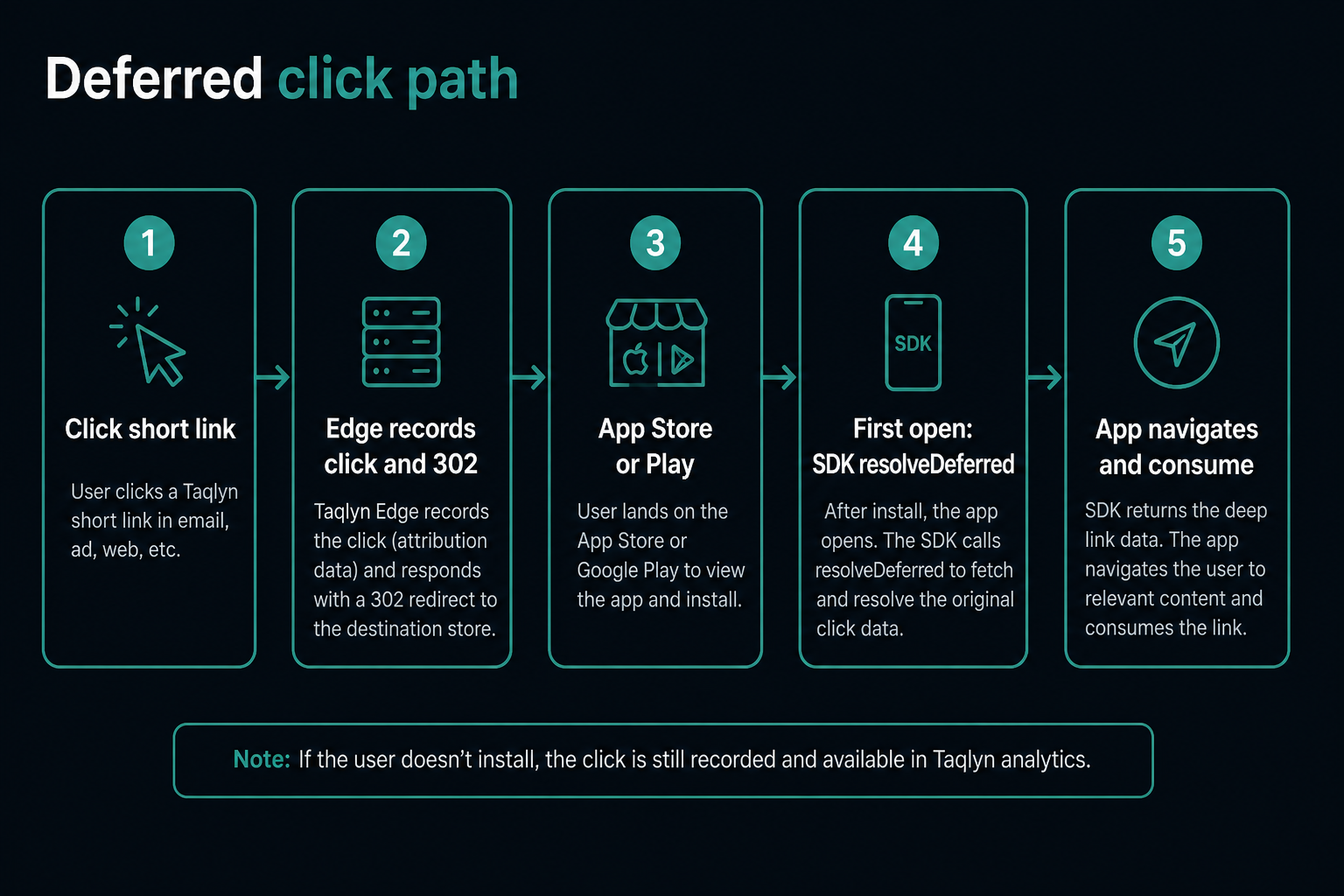
#For the user
- They open your short link.
- If the app is installed, iOS Universal Links or Android App Links can open it immediately.
- If not, they go to the store (or the website, depending on the link).
- After install, the first open restores the in-app path you set on the link.
#For your app
- Configure the SDK with
clientIdandpublicKeyIdonly. - After splash / auth, call
resolveDeferred()for the install gap. - For warm short codes (app already installed), call
resolveIncomingUrl/ expand so the first screen is the destination — short-link expand. - Call
setReadyForNavigation(true)when the user can actually navigate (or useTaqlynProvideron React Native). - Route using
pathandparams, thenconsume(linkId)so that click cannot be used again (consumealso reports opens when enabled).
Hold the payload across splash and login. Do not navigate before the app is ready.
#Link modes
| Mode | When to use |
|---|---|
deferred_app | Restore an in-app screen after install |
app_aware | Open the app if installed; otherwise store or web |
web_only | Always the website |
prefer_web_on_miss sends unmatched mobile traffic to the website instead of the store.
#What resolve returns
Use these fields in your navigator:
{
  "url": "https://example.com/product/123?ref=invite",
  "path": "/product/123",
  "params": { "ref": "invite", "sku": "123" },
  "linkId": "lnk_...",
  "isDeferred": true
}
consume(linkId) is required after you handle the link. A second first-open resolve on the same device does not replay it.
If you also use Firebase email-link sign-in, finish that sign-in before setReadyForNavigation(true).