
Universal Links
Open the iOS app when it is already installed.
LIVE SPECIMEN
Universal & Deferred Link SimulatorURL
https://taqlyn.com/shop/checkout?cartId=cart_9841&promo=WELCOME20&aff=partner_8Universal Links open your iOS app from an https URL when the app is installed. Deferred first-open is separate — deferred links.
#Associated Domains
After you bind iOS, add every Taqlyn host in Xcode → Signing & Capabilities → Associated Domains:
applinks:YOUR_TAQLYN_HOST
applinks:links.yourbrand.com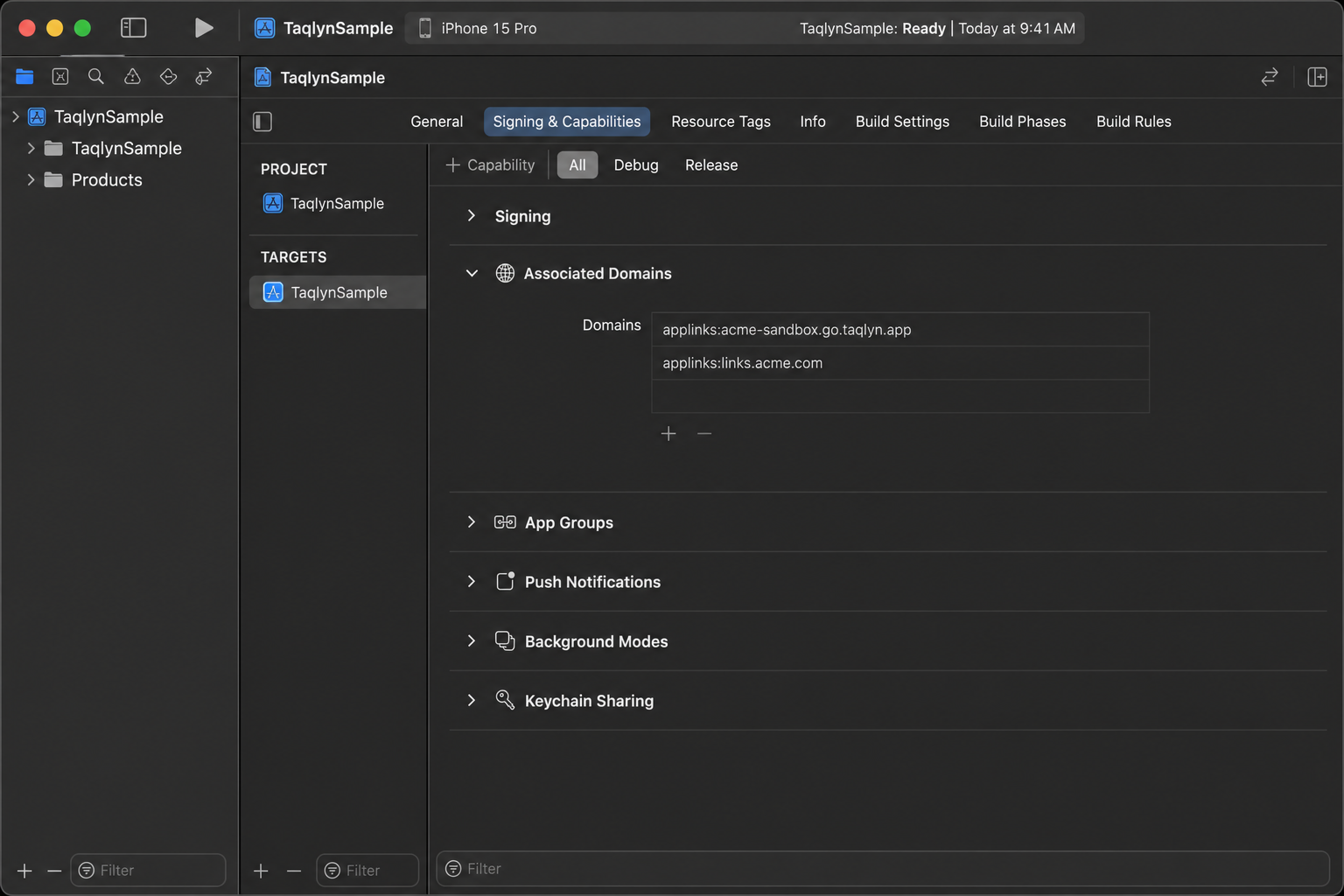
Rebuild after adding hosts. Expo and Flutter set the same entitlement on the iOS host app.
You do not host Apple’s association file. Taqlyn publishes it on the link host once the domain is active.
#App code
Forward the incoming URL into the SDK:
WindowGroup {
  RootView()
    .onOpenURL { SdkCore.onOpenURL($0) }
}
Map path / params, then consume(linkId). Do not re-parse the URL in feature screens.
Full steps: iOS.